
Smart QR menu · Restaurants and cafes
QR code menu: prices and items always up to date
Paketmaster's smart QR menu pulls your menu from the same dashboard you run your orders in. Change a price or an item and there's no need to reprint the QR code on the table: guests see the current menu every time they scan.
- No app download
- No credit card required
- On Standard and higher plans
Last updated: 16.10.2026
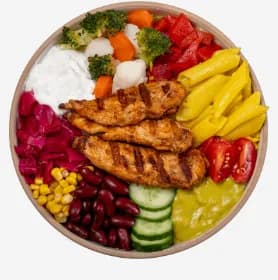
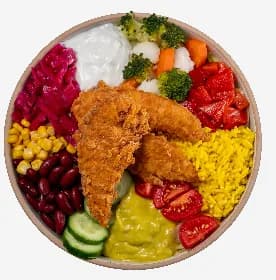
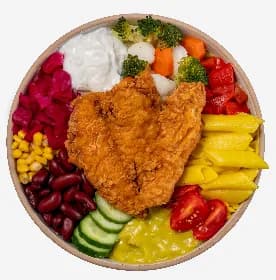
Paketmaster QR Menu screen · Kağıthane - Merkez sample menu
Definition
What is a QR menu?
A QR menu is a digital menu that guests open by scanning the code on the table with their phone camera, showing your menu and prices in the browser. No app download needed. With a smart QR menu, the content comes from your menu management system rather than a file, so price and item changes show up immediately.
Three problems with a static QR menu
- Every price change means a new PDF, while the old menu stays in circulation
- Sold-out items keep showing on the menu and disappoint guests when they order
- The menu is managed separately from your delivery-app menus and your till
Features
With Paketmaster's smart QR menu
Set up your menu once and make every change in one place.
Managed from one menu
The QR menu uses the categories and items in Paketmaster menu management, so there's no separate menu file to maintain.
Price updates without reprinting
Change a price in the dashboard; the QR code on the table stays the same, and guests see the new price on their next scan.
Choose the price list
Choose a price list (for example, Takeaway) for each QR menu, and the menu is published with those prices.
Categories, descriptions and photos
A readable menu with item descriptions and photos, and separate prices for sizes and options.
No app required
Guests scan with their phone camera and the menu opens in the browser. No download, sign-up or password.
Same dashboard as your orders
The dashboard you run the QR menu from also runs your dine-in, delivery and delivery-app orders.
Guest check softwareCreate a QR menu
Create a QR code menu in 4 steps
No technical skills needed; you can have your menu live in an afternoon.
- 1
Open your account
Start a 15-day free trial of the Standard plan. No credit card required.
- 2
Enter your menu
Add categories, items, prices and options to Paketmaster menu management.
- 3
Add photos and descriptions
Upload item photos and short descriptions, and set the order they appear in.
- 4
Place the QR code
Download the QR code and put it on table tents, in the window or at the till. Every later change happens in the dashboard.
Comparison
Free QR menu or smart QR menu?
Free QR menu generators link a PDF or an image to a QR code. That can be enough for a small menu that rarely changes; the more often yours changes, the bigger the gap.
| Topic | Free QR generator (PDF/image) | Paketmaster smart QR menu |
|---|---|---|
| Updating prices | The file is recreated and re-uploaded | One click in the dashboard, live instantly |
| Multiple menus | A separate file and QR code for each menu | Several QR menus, each switched on or off with one click |
| Readability on phones | PDFs need pinching and zooming | A mobile-friendly menu organized by category |
| Link to your order system | None, managed separately | The same dashboard you manage orders in |
| Cost | Usually free | On the Standard plan, 1,499 TL + VAT a month, with a 15-day free trial |
Regulations
What to watch for when you set up a QR menu
Turkey's Ministry of Trade sets out how food and drink businesses must present price lists under its Price Tag Regulation. A QR menu is an accepted way to give access to a price list, but the Ministry has reminded businesses that menus should not be offered by QR code alone.
This section is general information only; follow announcements from Turkey's Ministry of Trade for the current rules.
Checklist
- Prices are legible, complete and shown in Turkish lira
- Each size or portion has its own price listed
- Sold-out items are hidden
- Item photos match the item names
- A printed price list is available alongside the QR menu
FAQ
QR menu FAQ
Keep your menu up to date, starting today
Try the Standard plan free for 15 days. No credit card, no commitment.